Disclosure: Some links on this page are affiliate links. If you buy through them, I earn a small commission at no extra cost to you. I only recommend gear I actually believe in. Thanks for your support! — Jason
A two-person podcast is one of the most enjoyable formats out there. Natural back-and-forth conversation, built-in accountability to show up and record, and chemistry that solo shows can’t replicate. The gear setup is straightforward once you know what you need. Here’s exactly how to do it.
What Makes a Two-Person Setup Different
Each host needs their own dedicated microphone on a separate channel. This is non-negotiable. Sharing one mic in the middle of the table gives you one track of combined audio — meaning you can’t adjust one voice without affecting the other, you can’t remove one host’s background noise independently, and you can’t cut or edit one person without cutting the other too.
Two mics, two channels, two separate tracks. That’s the setup that gives you professional results and clean post-production every time.
Option 1: The Zoom H4n Setup (~$427)
This is the setup I recommend most often for new two-person shows. The Zoom H4n Pro has two built-in XLR inputs and records each to a separate channel. Plug in two mics, hit record, done. No computer required during the session — records directly to an SD card.
2x Rode PodMic at $99 each, plus the Zoom H4n Pro at $149, plus two short boom arms at roughly $40 each comes out to approximately $427. That’s a professional two-person studio for under $450. BOOM.
Zoom H4n Pro — $149 — View on Amazon →
Rode PodMic — $99 — View on Amazon →
Option 2: The Focusrite 2i2 Setup (~$420)
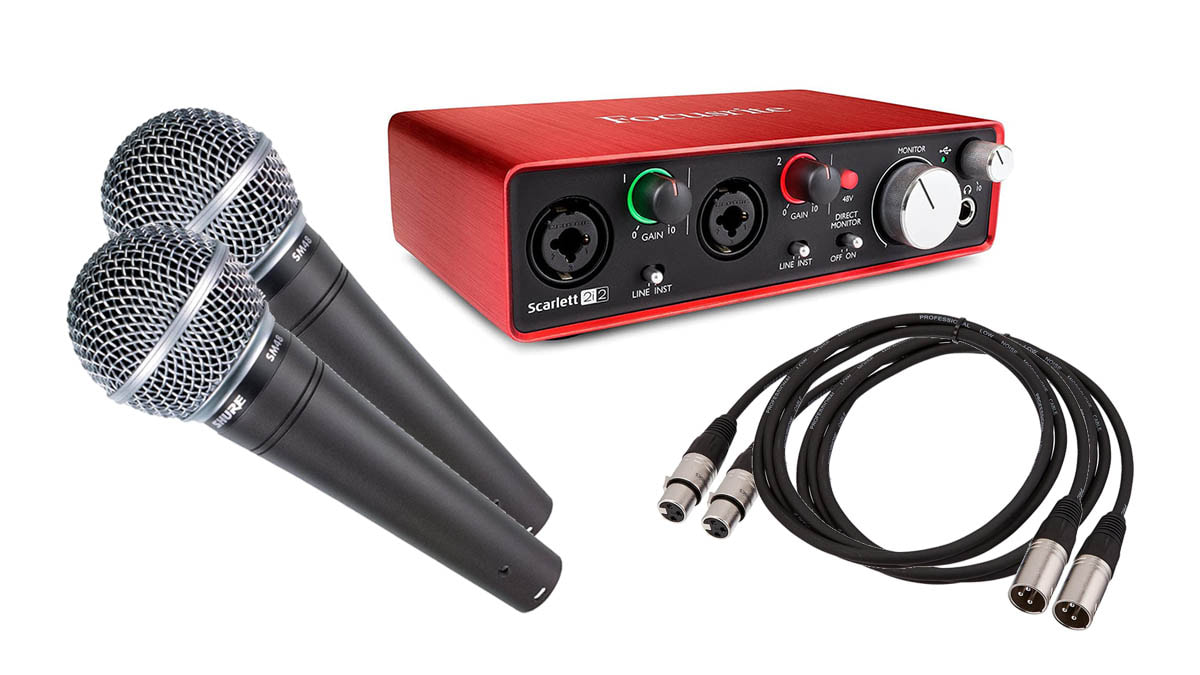
If you prefer recording directly into your computer using GarageBand, Audacity, Adobe Audition, or another DAW, swap the H4n for a Focusrite Scarlett 2i2 ($179). Two XLR inputs, excellent preamps, USB-C connection to your Mac or PC. Both voices record to separate tracks in your software, ready for editing.
Same two PodMics, same two boom arms, same total cost — just a different recording path. The 2i2 setup gives you live monitoring through your software and easier integration with your editing workflow if you’re comfortable on a computer.
Focusrite Scarlett 2i2 — $179 — View on Amazon →
Complete Gear List
2x Rode PodMic ($99 each), 1x Zoom H4n Pro ($149) OR Focusrite Scarlett 2i2 ($179), 2x boom arm ($40 each), 2x XLR cable ($15 each), 1x pair of closed-back monitoring headphones ($49). Total with H4n: approximately $357 without boom arms. Total with 2i2: approximately $377 without boom arms.
Add a headphone splitter if you both want to monitor live from the same output — a $10 solution that lets both hosts wear headphones during recording.
Remote Co-Host Setup
If your co-host is in a different location, the setup changes. Each person records their own audio locally using whatever gear they have, and you connect via Zoom, Riverside, Zencastr, or Squadcast for the real-time conversation. This is called double-ender recording and it’s how most remote podcast shows with professional audio quality work.
For the local side of a remote setup, the Focusrite Scarlett Solo ($119) and a Rode PodMic is all you need — one input, one voice, clean local recording. Your co-host does the same on their end. Your editor combines the two local recordings in post for clean, synchronized audio on both channels.
Mic Placement for Two Hosts
Position the mics facing each host directly, not toward the center of the table. Each person should have their own mic 6 to 8 inches from their mouth, on their own boom arm, aimed at them. Don’t aim them at each other and don’t put one mic between you both hoping it picks up both voices cleanly. It won’t.
Use the cardioid pattern of each mic to your advantage: the pickup is in front and sides, with rejection at the rear. Aim each mic at its host, and the other host’s voice becomes largely rejected by the pattern. Cleaner tracks, cleaner editing, better final mix.
Headphones During Recording
Both hosts should wear headphones during recording. This prevents audio bleed between mics when monitors or speakers are playing, and lets each person hear themselves and their co-host clearly. The Senal SMH-500 ($49) is a great closed-back option that won’t break the bank when you need two pairs. BOOM.
Comments are closed