Disclosure: Some links on this page are affiliate links. If you buy through them, I earn a small commission at no extra cost to you. I only recommend gear I actually believe in. Thanks for your support! — Jason
If you’ve been shopping for podcast gear, you’ve seen audio interfaces mentioned everywhere. But a lot of people buying their first XLR microphone have no idea what an interface actually does, whether they need one, or how it fits into a podcast setup. Let me break it down simply.
What an Audio Interface Does
An XLR microphone outputs an analog audio signal — a fluctuating electrical signal that represents your voice. Your computer only understands digital information — ones and zeros. An audio interface is the device that sits between the two. It converts the analog signal from your microphone into a digital signal your computer can record. It also provides the power boost — called gain — that XLR microphones need to reach a usable recording level.
Think of it as the translator between your microphone and your computer. Without it, an XLR mic simply can’t communicate with your recording software.
Do You Need One?
It depends entirely on which kind of microphone you’re using.
If you have an XLR microphone: yes. You need either an audio interface or a digital recorder. XLR mics cannot plug directly into a computer — there’s no XLR port on a Mac or PC. The interface is not optional.
If you have a USB microphone: no. USB mics have the conversion hardware built directly into the mic body. Plug it into your computer’s USB port and it’s immediately recognized as an audio input. No interface needed.
Which Interface Should You Get?
For solo podcasters recording one microphone into their computer, the Focusrite Scarlett Solo ($119) is the best entry-level interface on the market. One XLR input, excellent clean preamps, simple controls — one gain knob, one monitor volume knob, and an input level meter. USB-C connection to your computer. It just works, and it works well.
The Scarlett Solo is the interface I recommend to almost everyone getting into XLR recording. It’s been the most popular USB audio interface in the world for years for good reason. Pair it with a Rode PodMic and you have a professional podcast recording setup for approximately $220.
Focusrite Scarlett Solo — $119 — View on Amazon →
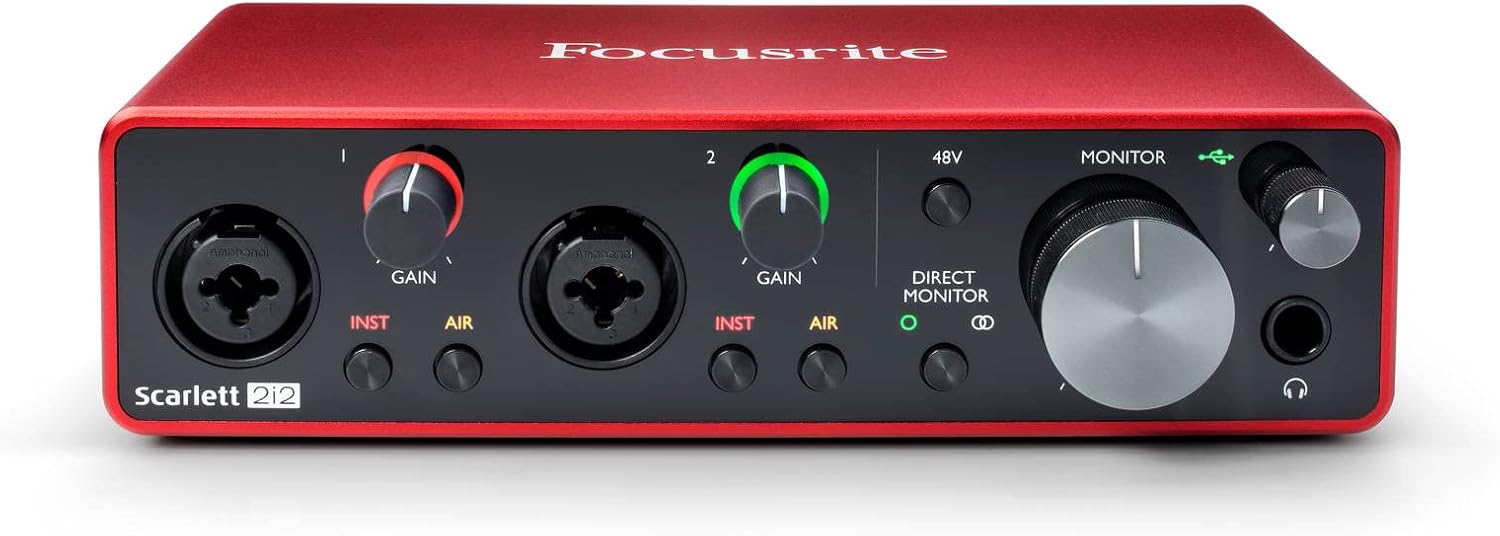
For two-person shows, step up to the Focusrite Scarlett 2i2 ($179). Same excellent preamp quality, two XLR inputs instead of one. Both voices record to separate channels. Best value two-input interface available.
Focusrite Scarlett 2i2 — $179 — View on Amazon →
The Alternative: Digital Recorders
An audio interface connects to your computer and records into your DAW or recording software. But there’s a second option that skips the computer entirely: a digital recorder like the Zoom H4n Pro ($149).
The H4n does the same analog-to-digital conversion as an interface, but it records directly to an SD card instead of your computer. No software to configure. No computer needed during the recording session. You get the same XLR input quality, just with a different workflow — record to card, transfer files to your computer afterward for editing.
For podcasters who want simplicity, portability, or the ability to record without a laptop, the H4n is often the better choice. For podcasters who prefer to stay in a computer-based workflow where everything happens in real time in their DAW, the Focusrite interface is the better fit.
Zoom H4n Pro — $149 — View on Amazon →
What About the Shure SM7B?
The SM7B is a special case. It’s a low-output dynamic mic that needs significantly more gain than most other mics. If you pair it with the Scarlett Solo and crank the gain all the way up, you’ll introduce noise from the preamp operating at its limits. The solution is a Cloudlifter CL-1 ($149), which goes between the mic and the interface and provides a clean 25dB boost before the signal reaches the Scarlett’s preamp.
SM7B + Cloudlifter + Scarlett Solo is the standard professional setup for this mic. It’s not optional if you want clean, quiet recordings with the SM7B through a Scarlett interface. Plan for it when you’re budgeting. BOOM.
Comments are closed