Disclosure: Some links on this page are affiliate links. If you buy through them, I earn a small commission at no extra cost to you. I only recommend gear I actually believe in. Thanks for your support! — Jason
Maybe you travel constantly and your laptop setup is always changing. Maybe you want a simpler workflow than plugging into a computer. Maybe you just like the idea of a dedicated recording device that does one thing and does it well. Whatever the reason — yes, you can absolutely record a professional podcast without a computer. Here’s exactly how.
The Core Tool: Zoom H4n Pro — $149
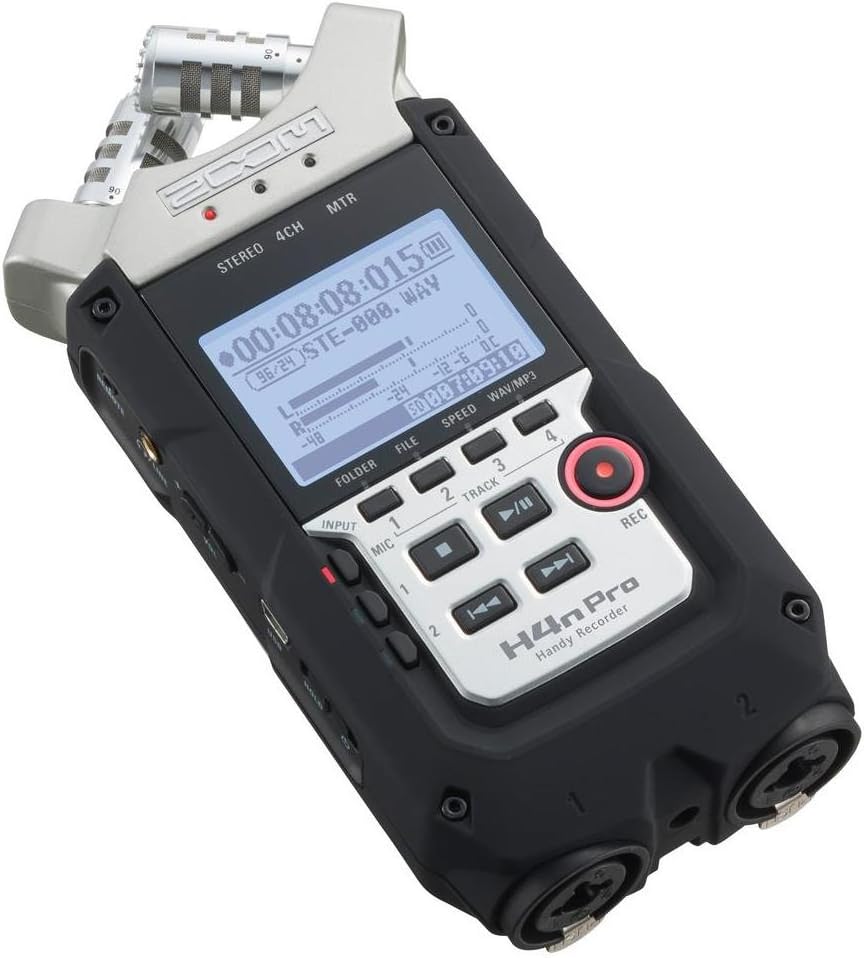
The Zoom H4n Pro is a standalone digital recorder. You plug your XLR microphone into one of its two inputs, insert an SD card, set your gain with the dial on the front, and hit record. That’s the entire workflow. No computer, no software, no drivers to install, no DAW to configure.
The H4n records broadcast-quality audio up to 24-bit/96kHz directly to the card. Battery-powered with two AA batteries — runs for hours on a fresh set. When you’re done recording, you pop the SD card into your computer (or use a card reader) to transfer the files for editing. The recording part and the editing part are completely separate events. That flexibility is genuinely valuable.
I’ve run this type of setup in hotel rooms, church meeting rooms, conference spaces, offices, and more times than I can count. It never lets me down. BOOM.
Zoom H4n Pro — $149 — View on Amazon →
Complete No-Computer Recording Setup
Rode PodMic ($99) + Zoom H4n Pro ($149) + SD card ($10) + XLR cable ($15) = under $275 total. That’s a fully portable, computer-free, broadcast-quality podcast recording setup that fits in a small backpack.
Add a compact tabletop mic stand or a short desk boom arm for another $25 to $40 and you have everything you need for a professional recording session from virtually anywhere.
Rode PodMic — $99 — View on Amazon →
How to Set Your Levels
The H4n has a simple gain dial on the front and a level meter on the screen. Before you start your recording session, do a 30-second test recording at your normal speaking volume and check the levels. You want the meter peaking around -12dB during normal speech. Peaks that consistently hit 0dB mean your gain is too high and you’ll get digital clipping. Levels that barely register mean your gain is too low and your recording will be quiet and noisy when you bring it up in editing.
Set it once, do a quick test listen, and you’re good. The H4n is straightforward enough that this takes about two minutes.
What About Editing Without a Computer?
Here’s the honest answer: you’ll need some device for editing. But it doesn’t have to be a desktop computer. If you want to stay fully mobile, you can edit on an iPad using Ferrite Recording Studio — one of the best mobile DAWs available and specifically designed for podcast editing. Transfer your files from the SD card via a card reader, edit in Ferrite, export, and publish.
For many podcasters, that workflow — record on the H4n, edit on iPad — is actually faster and more focused than sitting at a full desktop setup. No distractions, no notifications, just editing.
Two-Person No-Computer Setup
The H4n’s two XLR inputs make it equally capable for two-person shows without a computer. Two Rode PodMics, two XLR cables, one H4n. Each voice records to its own channel. Take it anywhere, record anywhere, edit later.
Total for a two-person computer-free setup: 2x Rode PodMic ($99 each) + Zoom H4n Pro ($149) + 2x XLR cable ($15 each) = approximately $377. Professional two-host podcast studio that fits in a laptop bag without a laptop.
The Alternative: Zoom H6 for Larger Groups
If you need more than two inputs without a computer, the Zoom H6 ($349) steps up to four XLR inputs with the same battery-powered, SD card recording workflow. Same concept as the H4n, just more capacity. Ideal for panel shows or group recordings where everyone needs their own dedicated mic channel.
Comments are closed