Disclosure: Some links on this page are affiliate links. If you buy through them, I earn a small commission at no extra cost to you. I only recommend gear I actually believe in. Thanks for your support! — Jason
Mixers look impressive. All those knobs, faders, and inputs make it feel like you’d sound way more professional with one on your desk. I get why people gravitate toward them. But here’s the honest answer: most podcasters do not need a mixer. Not at first. Maybe not ever. Let me explain what a mixer actually does, when you need one, and what to buy instead.
What a Mixer Actually Does
A mixer combines multiple audio sources and lets you adjust their levels in real time. In a radio station or live event context, that’s essential. You’ve got a host mic, a caller on the phone, a music bed playing under the intro, and a guest on a remote line. You need to balance all of those on the fly, and a mixer is the right tool for that job.
In a podcast recorded to your computer and edited afterward? Most of that mixing happens in post. You record your audio clean, bring it into your editing software, and adjust levels there. You do not need hardware to do what software does better and more precisely anyway.
What Most Podcasters Actually Need Instead
For a solo or two-person show, an audio interface handles everything a basic mixer would do, and it does it more simply. The Focusrite Scarlett Solo ($119) gives you one clean XLR input, studio-quality preamps, and direct USB-C connection to your computer. Plug in your mic, set your gain, hit record. Done.
Need two mics for a co-host? The Focusrite Scarlett 2i2 ($179) covers that with two XLR inputs and the same excellent preamps. Both units connect via USB-C, record directly into your DAW as separate tracks, and give you precise gain control per channel. That’s everything most podcasters need for under $200.
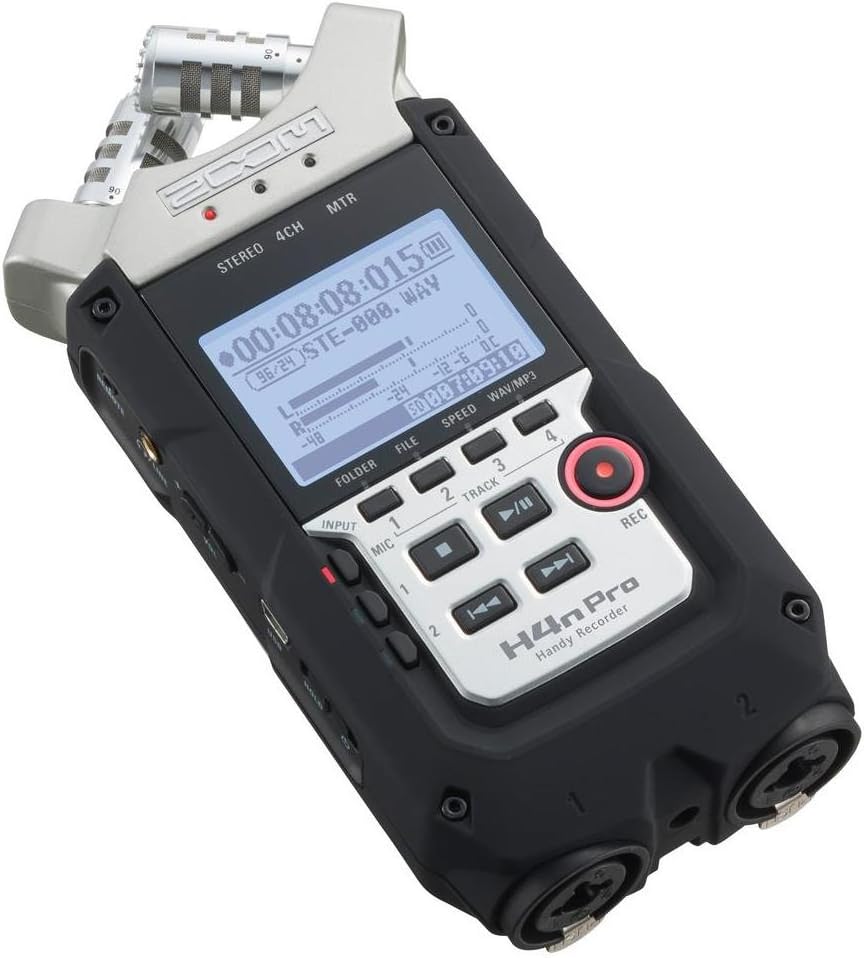
If you prefer a portable recording setup without a laptop in the loop, a digital field recorder like the Tascam DR-40X ($129) records directly to an SD card with two XLR inputs and built-in gain control. No computer needed during the recording session. Batteries, mics, record. Simple.
The Beginner Mixer Trap
Here’s what actually happens when most beginners buy a mixer: they plug everything in, get confused by the routing, spend two hours troubleshooting why audio is coming out of the wrong channel, and end up frustrated. Mixers require understanding signal flow, gain staging across multiple stages, and routing logic that isn’t immediately obvious if you haven’t worked with audio hardware before.
An audio interface? You plug the mic into the XLR jack, turn the gain knob until the level looks right, and record. That’s the whole workflow. Buy the interface, skip the mixer until you have a specific reason to need one.
When a Mixer Actually Makes Sense
Live-streamed podcasts. This is the big one. If you’re broadcasting live to YouTube or Twitch while recording, and you want to drop in music beds, trigger sound effects, take callers, and monitor everything in real time, a mixer earns its place. The RodeCaster Pro 2 ($699) is the gold standard all-in-one for exactly this situation. It’s a mixer, an interface, and a production console in one unit. Purpose-built for podcasting.
The Zoom L8 ($399) is worth a look too if you want more channels and routing flexibility at a lower price point. Eight inputs, multitrack recording, and effects built in. If you’re running a panel show with four or more guests, the L8 gives you the channel count to handle it cleanly.
Multi-host shows recorded in person with more than two microphones are another valid reason to upgrade. A Focusrite 2i2 maxes out at two XLR inputs. If you’ve got three or four hosts, you need either a multi-input interface or a small mixer. The Allen and Heath ZEDi-10 ($199) bridges the gap nicely: four mic preamps, a built-in USB interface, and compact enough to fit on a desk without taking over the room.
The Upgrade Path
Start with an audio interface. Record clean audio. Edit and mix in software. Once your show is established and you’ve got a reason to want real-time control, live-streaming capability, or more inputs, then look at the RodeCaster Pro 2 or Zoom L8. By then you’ll know exactly what you need and why you need it, and the investment will make sense.
Buying the mixer first, hoping it makes you sound more professional, almost never works out the way you expect. Better audio starts with a better mic and proper mic technique. Not more hardware.
The Short Answer
Recording conversations and editing afterward? Get an audio interface like the Scarlett Solo or Scarlett 2i2. Live-streaming with multiple hosts and real-time production? Look at the RodeCaster Pro 2. Buy a better mic before you buy anything else. BOOM.
Comments are closed