Disclosure: Some links on this page are affiliate links. If you buy through them, I earn a small commission at no extra cost to you. I only recommend gear I actually believe in. Thanks for your support! — Jason
The Zoom H4n Pro and the Zoom H6 are two of the best digital recorders for podcasting. Both are excellent pieces of gear. Both record broadcast-quality audio to SD card without needing a computer. But they’re built for different show formats and different budgets. Here’s how to decide which one is right for you.
Zoom H4n Pro — $149 — Best for Solo or 2-Person Shows
The H4n Pro has two XLR inputs, built-in stereo microphones as a backup, and records up to 24-bit/96kHz audio directly to an SD card. It’s compact, battery-powered (runs on 2 AA batteries), and fits in a jacket pocket. Plug in your mic, set your levels with the simple dial on the front, hit record. That’s the entire workflow.
This is my most-recommended recorder for people getting started with XLR setups. For a solo show or a two-host show with everyone in the same room, the H4n does everything you need at a price that’s hard to beat. I’ve used this recorder in more setups than I can count and it has never let me down.
Zoom H4n Pro — $149 — View on Amazon →
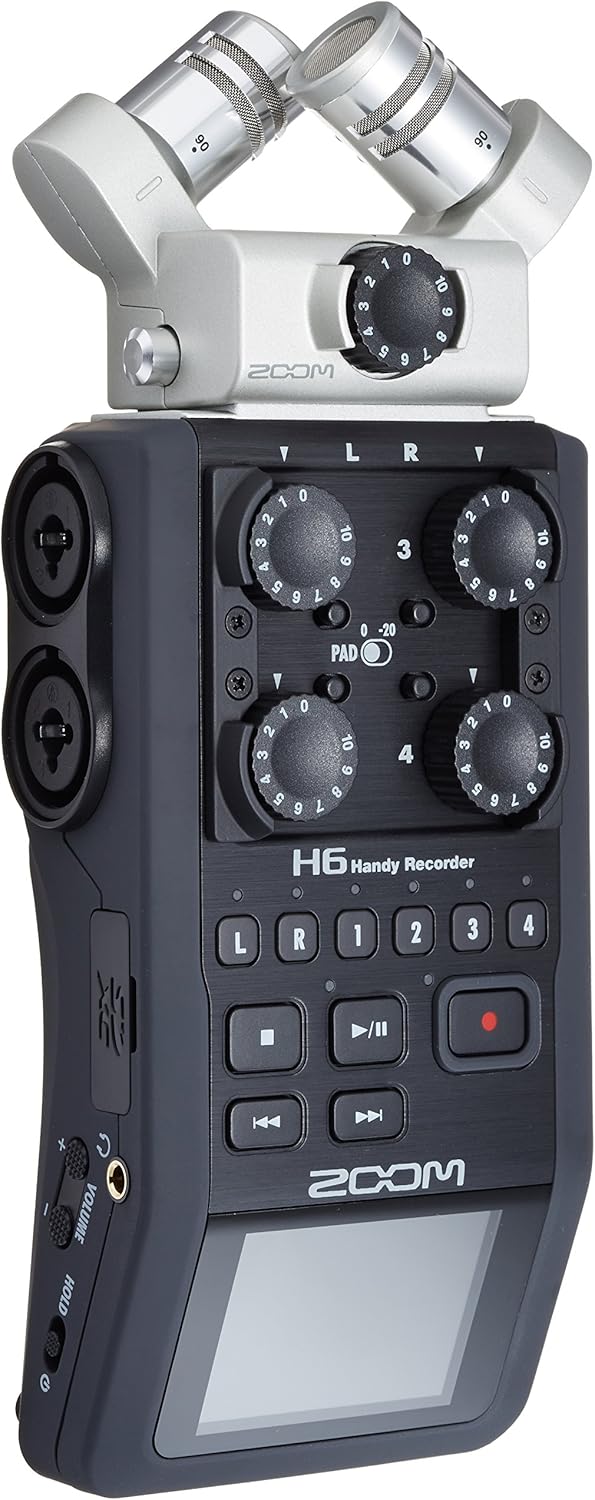
Zoom H6 — $349 — Best for 3 or 4 Person Shows
The H6 steps up significantly. Four XLR inputs standard, expandable to six with optional capsule attachments. Individual level control for each channel. Built-in mixing capabilities. A larger form factor but still battery-powered and fully portable.
If you’re running a multi-host show with three or four people in the same room, the H6 is built for that job. Each voice gets its own input, its own track in the recording, and its own level control. In post-production, you have full independence over every channel — raise one voice, cut another, remove crosstalk cleanly. That flexibility is worth every penny of the price difference when your show has three or more voices.
The H6 also has more gain available, which means it handles low-output dynamic mics like the Shure SM7B without needing a separate Cloudlifter in most cases. For an SM7B-based setup, this is worth noting.
Head-to-Head: Which Wins Where
The H4n wins on price, portability, and simplicity. At $149 it’s one of the best values in podcasting gear. If your show is one or two hosts, you don’t need the H6’s extra channels and extra cost. The H4n gives you everything you need for a clean, professional recording.
The H6 wins on channel count, mixing control, and gain headroom. If you have three or four voices to manage, the H6 is not optional — it’s necessary. And once you’ve used it for a panel show, you’ll appreciate how much cleaner the post-production is with every voice on a separate track.
The Simple Decision Guide
1 to 2 hosts in the same room: get the Zoom H4n Pro. 3 to 4 hosts in the same room: get the Zoom H6. Remote interviews via phone, Zoom, or Riverside: either recorder works, since remote guests record on their own end and you’re only recording your local mic. Simple as that.
Best Microphones to Pair With Either
For a solo or two-person H4n setup: the Rode PodMic ($99 each) is the obvious choice. Warm, broadcast-ready, and matches the H4n’s preamp quality perfectly. Total setup with two PodMics and the H4n: approximately $350.
For a multi-host H6 setup: same logic, just multiply the mics. Three or four Rode PodMics plus the H6 is approximately $745 for a full four-person studio-quality recording setup. Each voice on its own channel, professional results, and a workflow that scales as your show grows.
Rode PodMic — $99 — View on Amazon →
What About Recording to a Computer Instead?
If you prefer recording directly into a DAW like GarageBand, Audacity, or Adobe Audition, the Focusrite Scarlett Solo ($119) or 2i2 ($179) are the alternatives to these recorders. Same XLR input quality, different workflow. The Zoom recorders are the better choice for portability and recording without a computer. The Scarlett interfaces are better if you want to stay in a computer-based recording environment. Both approaches produce professional results. BOOM.
Comments are closed