Disclosure: Some links on this page are affiliate links. If you buy through them, I earn a small commission at no extra cost to you. I only recommend gear I actually believe in. Thanks for your support! — Jason
You bought a microphone. You plugged it in. And somehow you still sound like you’re recording in a bathroom. I’ve heard this exact problem from probably a hundred people. The good news is that bad podcast audio almost always comes down to a handful of fixable problems. Let me walk through the most common ones.
Problem 1: Wrong Microphone Type for Your Room
This is the most common culprit. If you’re using a condenser microphone in an untreated room, it’s going to pick up every echo, every HVAC hum, every car that drives by, and every reflective surface in the space. Condenser mics are extremely sensitive by design — they’re built for treated studio environments where the room noise is controlled.
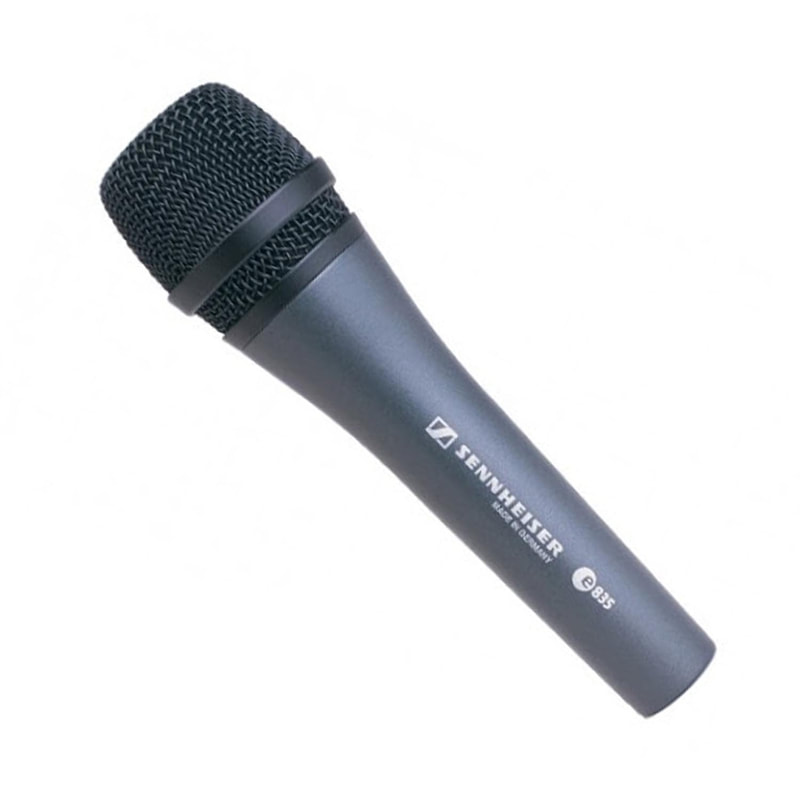
If you’re recording in a normal home office, bedroom, or spare room, you need a dynamic microphone. The Rode PodMic ($99) and the Shure SM48 ($99) are the two I recommend most. Dynamic mics reject off-axis noise and focus tightly on what’s right in front of them. The difference when you switch from a condenser to a dynamic in an untreated room is often dramatic — you’ll hear it immediately.
Rode PodMic — $99 — View on Amazon →
Problem 2: You’re Too Far From the Mic
This is the number one mistake beginners make, and it explains more bad podcast audio than anything else. If your mic is sitting on your desk two feet away, you’re recording your voice plus everything your room is doing — reflections, reverb, ambient noise all competing with your voice at the same level.
Get closer. Uncomfortably close. Six to eight inches from the capsule, speaking directly into the front of the mic. The voice-to-room ratio changes dramatically at close range — your voice is loud, the room is quiet, and the mic captures mostly the former. A boom arm that positions the mic at the right distance is one of the highest-ROI purchases in podcasting. BOOM.
Problem 3: Gain Staged Incorrectly
If your recording is too quiet, you’re probably boosting the volume in post-production editing — and when you do that, you amplify all the background noise right along with your voice. The solution is to set your gain correctly at the source, not fix it later.
When recording, aim for peaks around -12dB on your meter during normal speech. That gives you enough headroom to avoid clipping on louder moments while keeping the recording loud enough that post-production volume adjustments are minor. A Focusrite Scarlett Solo ($119) or Zoom H4n Pro ($149) both give you precise hardware gain control to get this right before you record a single word.
Focusrite Scarlett Solo — $119 — View on Amazon →
Problem 4: No Acoustic Treatment
Hard walls, bare floors, and flat ceilings create echo and reverb that make voice recordings sound hollow and unprofessional. You don’t need to build a studio to fix this. Hang blankets on the wall behind your recording position. Put a rug on bare floors. Record in a closet full of clothes — genuinely one of the most effective recording spaces you can create for free.
If you want to invest a little: a 12-pack of acoustic foam panels for $30 to $40 placed on the wall behind and beside your mic makes a real, audible difference. A reflection filter that mounts behind your mic capsule helps too, especially if you can’t put anything on the walls.
Problem 5: Your Room Has Echo and You’re Fighting It in Post
There are AI-powered tools like Adobe Podcast Enhance, NVIDIA RTX Voice, and Krisp that can remove background noise and reduce room echo in post-production. They’re genuinely impressive. But they can only do so much — they can clean up a recording, not transform a fundamentally bad one.
Use these tools as a finishing polish on an already decent recording, not as a crutch for a setup that hasn’t dealt with the underlying problems. Fix the problems at the source first: right mic type, right distance, right gain, and a reasonably treated space. Then use the post tools for the final few percent.
The Four-Fix Summary
Dynamic mic. Boom arm at 6 to 8 inches. Gain at -12dB peaks. Blankets or foam behind the mic. Do those four things and your podcast audio will be dramatically better than 80% of shows out there. Every one of them is either free or inexpensive. There’s no excuse for bad audio when the fixes are this accessible.
Comments are closed