Disclosure: Some links on this page are affiliate links. If you buy through them, I earn a small commission at no extra cost to you. I only recommend gear I actually believe in. Thanks for your support! — Jason
A three-person podcast is a great format — different perspectives, natural debate, built-in energy that solo and even two-person shows can’t always replicate. But three voices in one room means three microphones on three separate channels, and you need the right gear to pull it off cleanly. Here’s exactly how to set it up.
Why Three Separate Mics Matter
With three hosts sharing one or two microphones, you lose control. You can’t adjust one person’s level without affecting the others. You can’t cut a host’s background noise without cutting everyone’s audio. You can’t edit one person’s stumble or pause cleanly without cutting into another voice.
Three mics, three channels, three separate tracks is the professional standard for a reason. It gives you full independence over each voice in post-production — the ability to raise, lower, cut, and clean each person’s audio individually. That flexibility makes editing dramatically faster and the final product dramatically cleaner.
The Three-Person Setup (~$745)
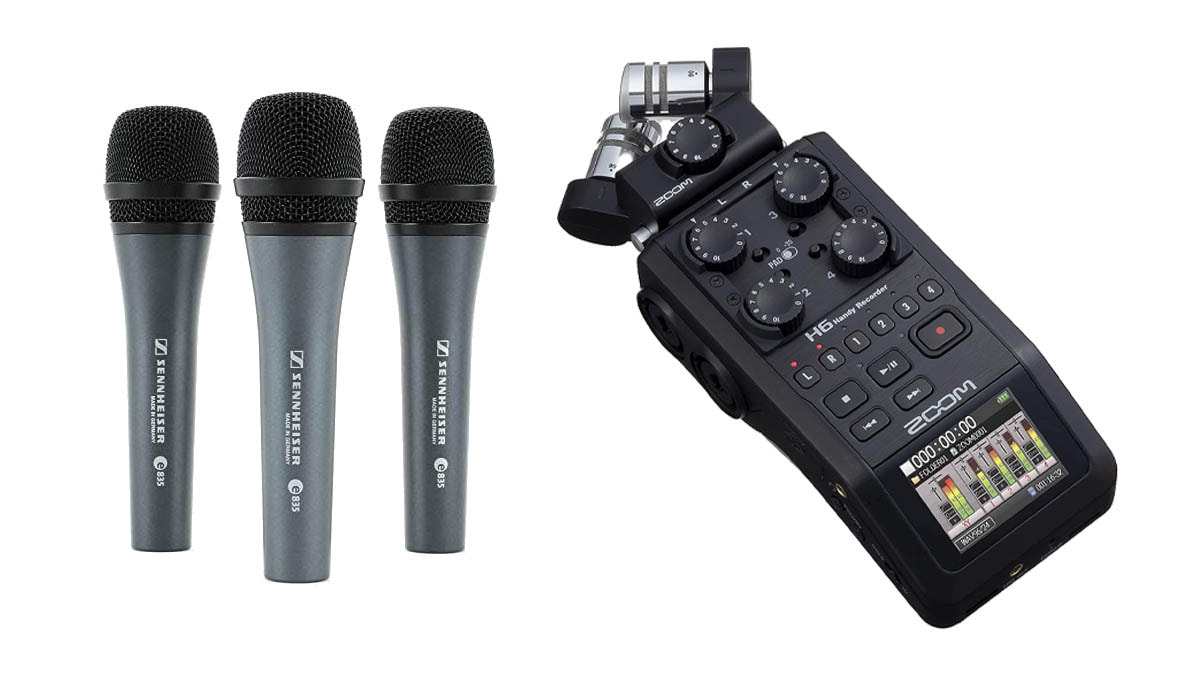
The Zoom H6 ($349) is the recorder for this job. It has four XLR inputs standard, each with its own level control and recording to its own independent track. For a three-person show it’s ideal — three inputs in use, one spare for a guest or a room mic.
Pair it with three Sennheiser e835 dynamic microphones ($99 each) or three Rode PodMics ($99 each). Both are excellent dynamic XLR mics at the same price point. Three mics plus the H6 brings you to approximately $646. Add three XLR cables ($15 each) and three compact boom arms ($40 each) and the complete three-person setup comes in under $800.
I’ve run this type of setup in small rooms, at conference tables, and in multi-purpose rooms. It consistently produces clean, professional results regardless of the space. BOOM.
Gear List
Zoom H6 ($349) — 4 XLR inputs, individual track recording, battery-powered, SD card storage. Each host’s voice recorded completely independently.
3x Rode PodMic ($99 each) — Warm, broadcast-quality dynamic mics. Excellent noise rejection. Built-in pop filter. Designed specifically for podcast recording.
3x XLR cable, 10ft ($15 each) — One per mic, gives everyone enough reach without cable tension.
3x Boom arm ($40 each) — Keeps each mic positioned correctly at close range, eliminates desk vibration from recordings.
3x Senal SMH-500 headphones ($49 each) — Each host monitors their own audio live. Optional but recommended for catching problems during recording.
Rode PodMic — $99 — View on Amazon →
Recording Setup
Seat your three hosts around a table or in a triangle arrangement. Each person has their own mic on a boom arm 6 to 8 inches from their mouth. The H6 sits in the center of the table or to one side — it’s compact enough that it doesn’t dominate the table space.
Set each channel’s gain individually before recording. Do a test round where each person talks at their normal volume and you check the meters on the H6. Aim for peaks around -12dB. The H6’s per-channel level controls make this straightforward even for less technical hosts — it’s a simple dial turn per person.
Post-Production Advantage
The real payoff of this setup comes in editing. Your editor — or you — opens the session with three completely independent audio tracks. Host A’s mic bleed from Host B coughing? Fade out Host B’s channel for that moment. Host C’s background noise is louder than expected? Apply noise reduction to that channel only. One host spoke significantly quieter than the others? Bring their track up without affecting anyone else.
Multi-track recording turns a challenging three-person editing job into a manageable one. It’s the professional workflow for a reason.
Adding a Fourth Host Later
The Zoom H6 has four XLR inputs. Adding a fourth permanent host or a regular guest seat is as simple as plugging in another mic to the unused fourth channel. No new recorder required, no configuration changes. The setup scales naturally as your show grows.
Comments are closed