Disclosure: Some links on this page are affiliate links. If you buy through them, I earn a small commission at no extra cost to you. I only recommend gear I actually believe in. Thanks for your support! — Jason
A boom arm is one of the most underrated pieces of podcast gear. Most beginners skip it and instead prop their mic up on a stand or leave it sitting flat on the desk. Both are mistakes that cost you audio quality. Let me explain why a boom arm matters, then give you the best options at every price point.
Why a Boom Arm Makes a Real Difference
Three reasons. First, position. A boom arm lets you place the microphone exactly where it needs to be — 6 to 8 inches from your mouth — without you leaning toward the desk awkwardly. Correct mic placement is the single biggest factor in how your voice sounds on a recording. Get the mic close and your voice sounds warm, full, and present. Leave it on the desk across from you and your voice sounds thin and distant with the room bleeding in.
Second, vibration isolation. When a mic sits on a desk, it picks up every keystroke, desk tap, and vibration that travels through the surface. A boom arm completely decouples your mic from the desk. That mechanical noise disappears.
Third, workspace. A boom arm swings out of the way when you’re not recording and keeps your desk clean. If you’re recording video too, it positions the mic out of frame while keeping it close to your mouth. That combination is hard to achieve without a boom arm.
Best Overall: Elgato Wave Arm — $79
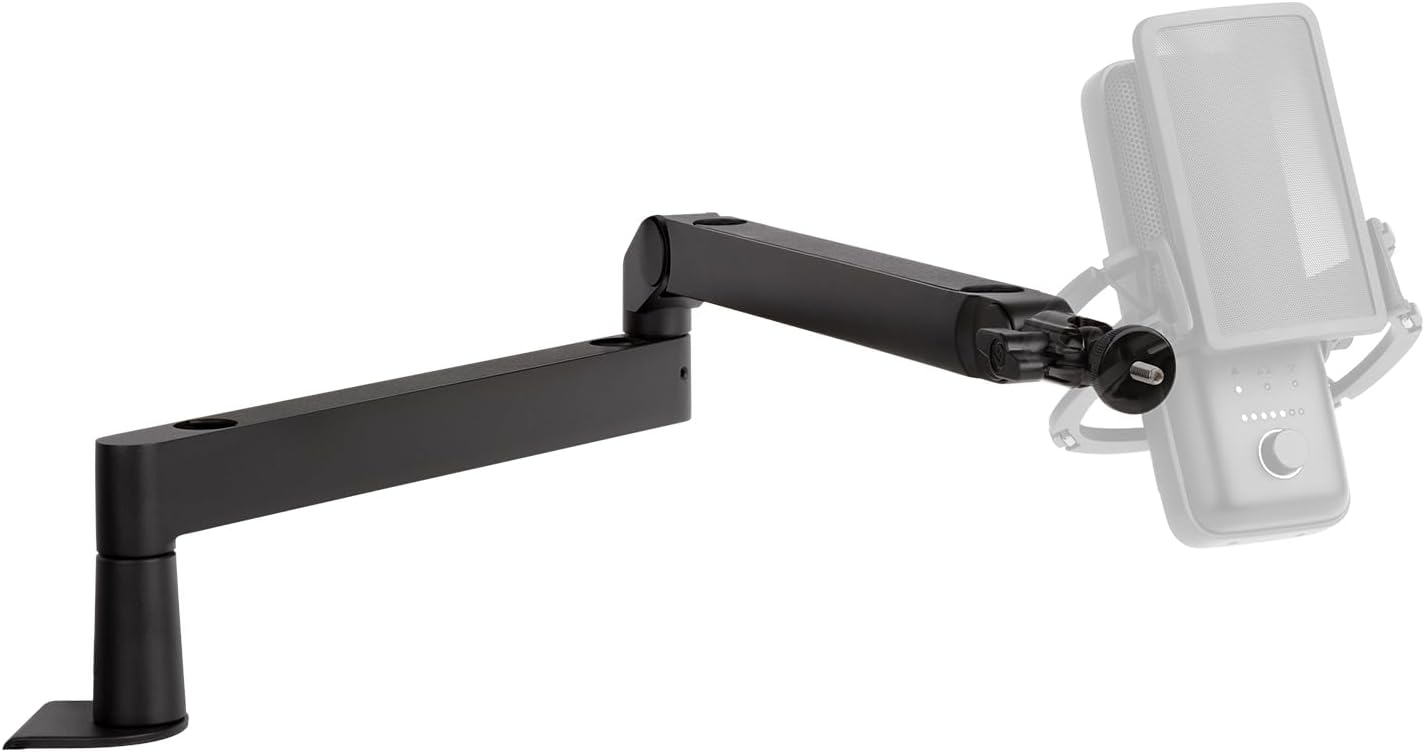
The Elgato Wave Arm is my top recommendation for most podcasters. It’s low-profile, the cable management is built in with cables running inside the arm itself, and it holds its position reliably without drifting over time. The desk clamp is sturdy without chewing up your desk surface.
It also looks great on camera — a genuine consideration if you’re recording video alongside your podcast. Low-profile black design that stays out of frame while keeping the mic exactly where you need it. This is the one I recommend most often to new podcasters.
Elgato Wave Arm — $79 — View on Amazon →
Best for Heavy Mics: Rode PSA1 — $99
The Rode PSA1 is a studio-grade boom arm that has been an industry standard for years. It’s heavier duty than the Elgato and handles heavier mics — particularly the Shure SM7B — without drift or position creep. If you’re running a serious XLR setup with a larger, heavier dynamic mic, the PSA1 is worth the extra $20 over the Elgato.
The PSA1 has a slightly larger footprint on the desk, and the cable management is more traditional (you route cables along the arm rather than through it), but its build quality and load capacity make it the better choice for heavier mics.
Rode PSA1 — $99 — View on Amazon →
Budget Option: Amazon Basics Arm — $25
If you just need something to get started while you’re figuring out your workflow, Amazon’s own boom arm does the job. Build quality shows at this price — it may drift over time and the clamp mechanism isn’t as solid — but for a first setup while you’re getting started? Totally fine to begin here. Upgrade to the Elgato or PSA1 when your setup is locked in and you know what you’re doing.
What Fits What
For most podcasters running a Rode PodMic or Shure SM48: the Elgato Wave Arm is the right choice. It handles mics up to about 1 kg without issue, looks clean on camera, and the built-in cable management is genuinely nice to have.
For the Shure SM7B specifically: get the Rode PSA1. The SM7B is heavier than most podcast mics and the PSA1 handles its weight reliably. I’ve seen SM7Bs creep downward on lighter arms over the course of a recording session. Don’t let that happen to your setup.
One Thing Everyone Gets Wrong
A boom arm is useless if you don’t use it correctly. The mic still needs to be 6 to 8 inches from your mouth. I’ve seen setups with beautiful boom arms and the mic dangling two feet away at eye level. That defeats the entire purpose.
Position the mic so it’s coming toward your face from slightly below your chin, angled up toward your mouth. This keeps it out of your sightline, out of frame if you’re on camera, and at the correct distance from your capsule. Get the distance right and everything else follows. BOOM.
Comments are closed